
QUICK BUYER ANSWER
The practical answer
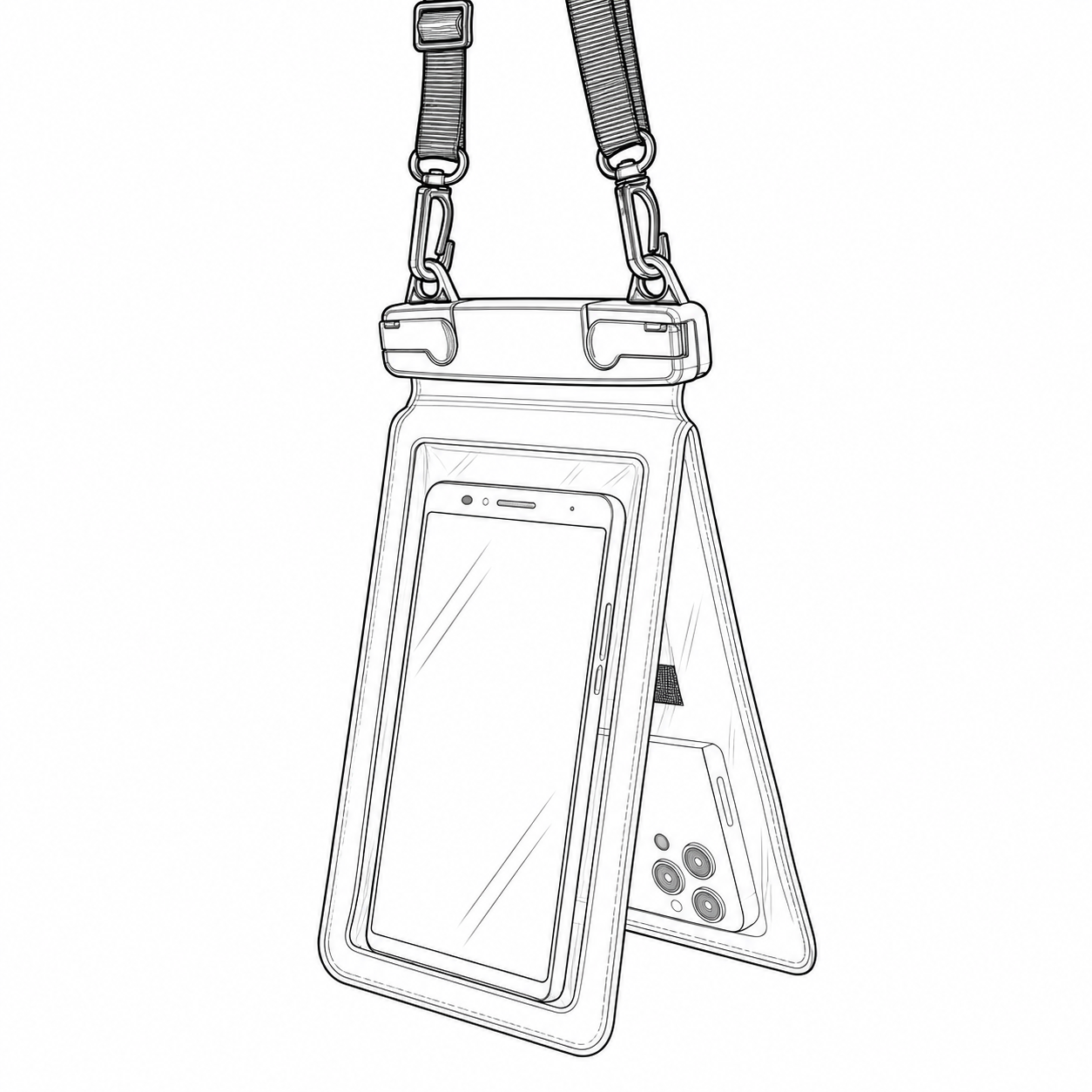
Select a waterproof phone pouch using the dimensions of the phone with its case, not its screen diagonal alone. Check insertion, closure clearance, camera alignment and the tasks the customer expects to perform. Record exactly which phone-and-case combinations passed the review. A transparent window does not guarantee fingerprint recognition, underwater touch control or camera quality, and device fit is independent of waterproof performance.
Build a compatibility matrix around complete devices
For a bulk waterproof phone pouch order, list the phone models most relevant to your market and the cases buyers commonly use. Record overall length, width and thickness, including camera protrusions. Separate a slim case from a rugged case rather than grouping both under one screen size. Use actual sample devices or dimensionally representative gauges for fit review, then confirm functional tasks on real phones. This makes a compatibility statement repeatable and helps distributors answer customer questions without relying on a broad fits all phones claim.
Check the insertion path and closure clearance
A pouch can have sufficient interior area yet be difficult to load through its opening. Check mouth width, insertion force, corner snagging and the space remaining beside the clamp or sealing strip. The device and case should not interfere with complete closure under the selected instructions. Include cards or other items only if the design and test plan permit them. For a dual-chamber phone pouch, review each chamber and the partition independently; two visible panels do not necessarily mean that both accept the same device thickness.
Test camera framing under realistic use
Align each camera with the usable rear window and check whether a strap, seam or opaque panel enters the field of view. Evaluate image clarity, reflections and focus with the pouch in its normal condition. A thicker case or different camera arrangement can move the lens relative to the window. Describe the lighting and task used in approval photographs. If wet or underwater photography is intended, evaluate it separately under controlled agreed conditions; a clear dry window is insufficient evidence for performance in another environment.
Review controls as individual user tasks
Create a task list covering waking the screen, taking a photo, using volume buttons and opening the required application. Evaluate through the pouch with the selected phone settings and screen protector. Record any functions that are unavailable or unreliable instead of calling the whole product touch compatible. Water, film contact and the device interface can change the result. Buyers should avoid implying that biometric access or touch operation works in every condition. Keep device compatibility wording separate from the exposure claim and test report.
Turn sample results into restrained retail information
Retain the compatibility matrix with the approved pouch model and revision. State tested combinations and any practical limitations in instructions and sales material. Agree whether the order includes a lanyard, insert card, logo and individual packing; confirm these as separate deliverables. Ask the waterproof phone pouch supplier how model changes are reported and whether a future film or closure change requires review. Inspect empty pouches using the agreed procedure before evaluating with valuable equipment, and establish customer instructions for checking closure and damage.
Use this table in supplier discussions
| Review area | Buyer input | Decision |
|---|---|---|
| Fit | Phone plus case dimensions | Insertion and complete closure |
| Camera | Actual lens positions | Clear field of view |
| Controls | Named screen and button tasks | Documented successful functions |
| Listing | Tested matrix and limitations | Accurate compatibility wording |
Information to include in your inquiry
- Phone models and case types
- Dimensions and camera protrusion
- Single or dual compartment
- Control and camera task list
- Packing, instructions and exposure evidence
Frequently asked buyer questions
Is screen diagonal enough to choose a phone pouch?
No. Compare the complete phone-and-case dimensions, camera protrusions, opening width and closure clearance. Phones with the same screen diagonal can fit differently.
Can I advertise underwater touch compatibility?
Only use a claim supported by the selected device, pouch and agreed conditions. Record limitations. A transparent panel or successful dry-screen test does not establish underwater operation.
DRYCROSS · DONGGUAN, CHINA
Turn the checklist into a project brief
Send the reference model, quantity, destination and requirements that matter to your customer. DryCross will review the scope before confirming a quotation.
Discuss this sourcing projectExplore relevant products · Factory capabilities · Customization · Contact DryCross